

Appearance
Public vs Private Visibility
Each FluentPlayer media item has a visibility setting that specifically controls access to its dedicated player URL. This setting is independent of how you embed videos into your standard WordPress posts and pages.
Embeds and the Dedicated Player URL
Before we talk about visibility, it helps to understand the two ways a video can appear:
Embedded in a Page: You use a shortcode like
[fluentplayer id="42"]or a Gutenberg block. The video appears inside your post or page. Visibility is controlled by the page itself (published, private, password protected, etc.).Dedicated Player URL: Each media has its own URL like
yoursite.com/fluent-player-media/media-42/. This opens a minimal page with just the player and a header. The public/private setting controls who can access this URL.
Public Visibility
When a media item is set to Public:
- Anyone can open the dedicated URL and watch the video.
- No login is required.
- The URL can be shared freely.
Example Use Case: You want to share a video link in an email or on social media, and anyone who clicks it should be able to watch.
Private Visibility
When a media item is set to Private (the default):
- Visitors who open the dedicated URL see a 404 (Page Not Found) error.
- Only WordPress users who have edit permission for that post (like administrators and editors) can view the dedicated URL.
Example Use Case: You have an internal training video that should not be publicly accessible via the direct URL. You embed it on a password protected page instead.
How to Change Visibility
- Go to FluentPlayer → Media and open the media item.
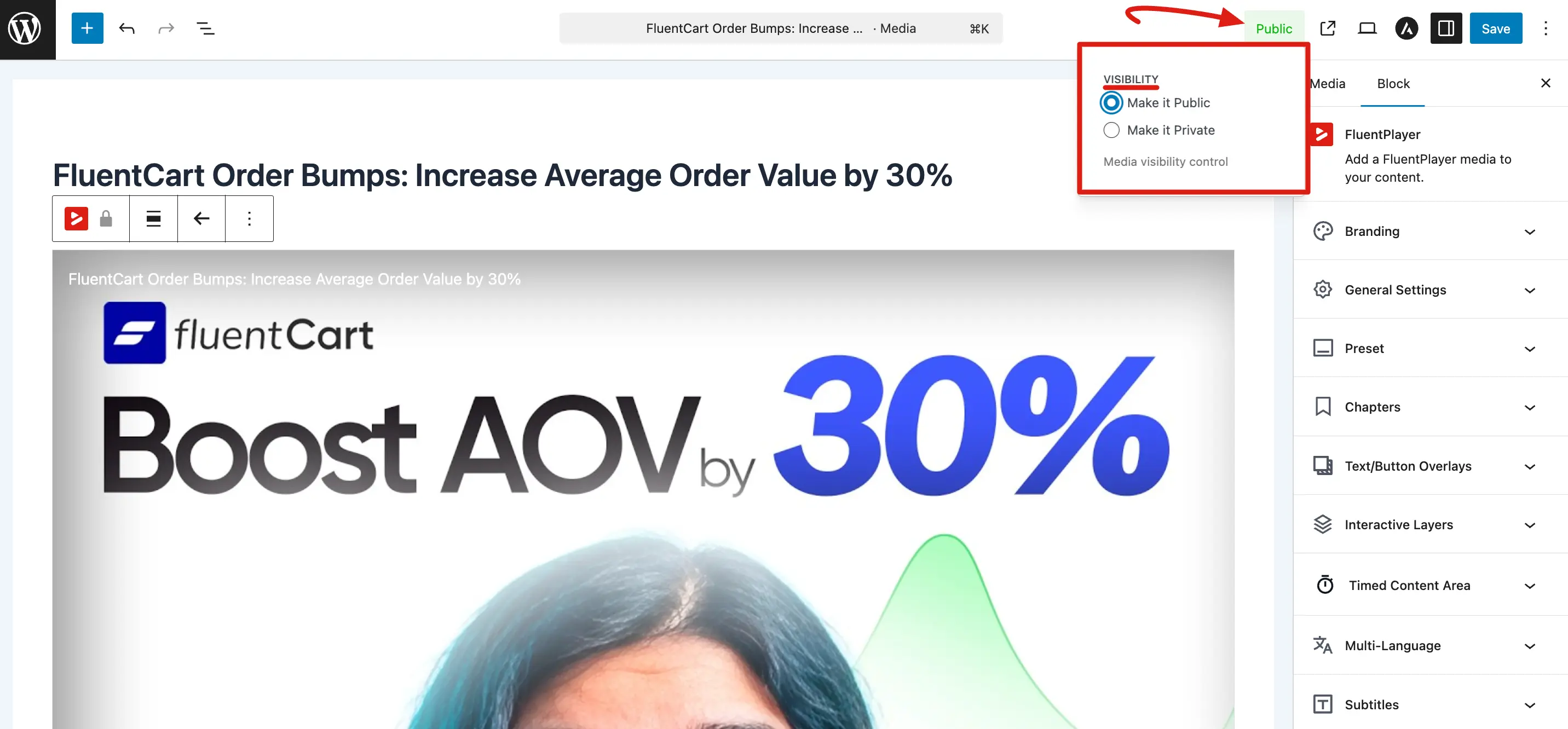
- In the media settings, look for the Public visibility option.
- Toggle it on to make the dedicated URL publicly accessible, or off to keep it private.
- Lastly, click on the Save button.
What Visibility Does NOT Affect
The Public/Private setting only applies to the standalone dedicated player URL. It does not restrict the following:
- Shortcode Embeds: Videos will still show up wherever you have placed the shortcode.
- Block Embeds: The visibility of the specific WordPress page or post controls who can see the video.
- Playlists: Access is determined by the settings of the playlist and the page where it is embedded.
TIP
Think of it this way: the public/private setting answers one question: "Can someone type the URL /fluent-player-media/media-42/ into their browser and watch the video?" If public, yes. If private, only admins and editors.