

Appearance
Advanced (Block sidebar)
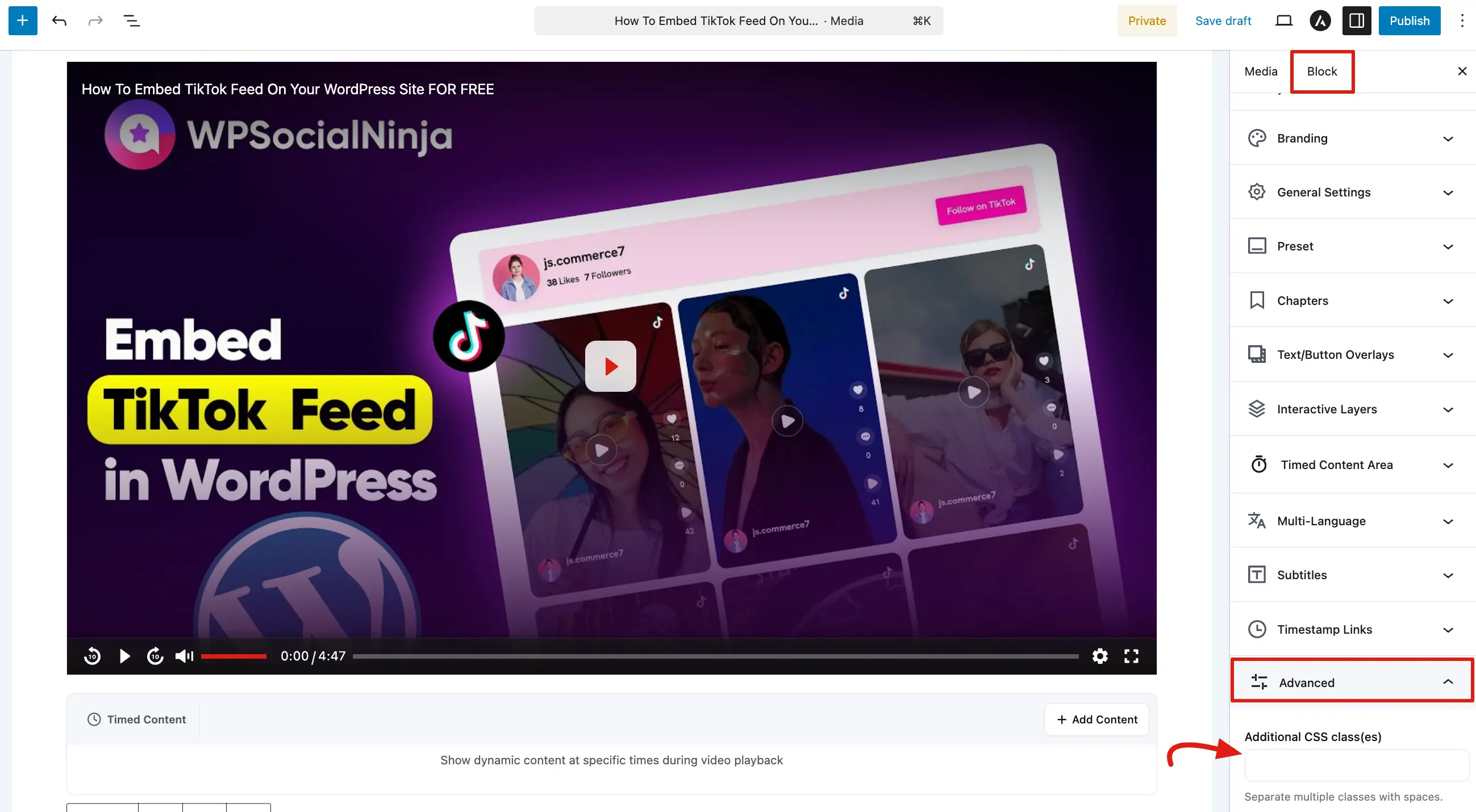
The Advanced panel provides specialized options for developers or users who want to apply custom styling and navigation anchors to their video players. This section allows you to go beyond the standard player settings and integrate the player more deeply with your website's custom code.
To access these settings, select your FluentPlayer block and expand the Advanced panel at the bottom of the Block tab.
Additional CSS Class(es)
This field is used to add unique identifiers to the specific player you are currently editing.
- Custom Styling: Enter one or more CSS class names separated by spaces
(e.g., special-promo-video lesson-blue). - Targeting: Use these classes in your theme’s stylesheet or under Appearance → Customize → Additional CSS to apply specific design rules to only this video.
- Scoped Styles: This is the best way to change the appearance of a single video without affecting every other player on your site.
HTML Anchor
If your version of WordPress supports it, you may also see an HTML Anchor field within this section.
- Deep Linking: By entering a unique word (like
intro-video), you create a direct link to that specific part of your page. - Usage: You can then link to the video from anywhere else by using a URL ending in
#intro-video. - Standard Behavior: This follows standard WordPress Gutenberg functionality, making it easy to use alongside other blocks.
The Advanced panel is your gateway to deeper customization. By using Additional CSS Classes and HTML Anchors, you can ensure your video player fits perfectly into your site's custom design and navigation structure.
Related pages
- Editor Overview — back to all Block sidebar panels
- Hooks & Filters Reference — developer hooks for deeper customization